
IPTV Smarters Pro UK Setup Guide: EPG & Settings
Learn how to optimize IPTV Smarters Pro with advanced settings including TV guide integration, playlist management, parental controls, and smooth streaming parameters.

On this page (13)
- What Is IPTV Smarters Pro and What Are the Prerequisites?
- How Do You Install IPTV Smarters Pro on Amazon Firestick and Fire TV?
- How Do You Install IPTV Smarters Pro on Android TV and Android Boxes?
- How Do You Install IPTV Smarters Pro on iOS, iPadOS, and Apple TV?
- How Do You Install IPTV Smarters Pro on Windows PC and macOS?
- How Do You Install IPTV Smarters Pro on Smart TVs?
- How Do You Log In and Configure Your IPTV Subscription?
- How Do You Set Up the EPG (TV Guide) in IPTV Smarters Pro?
- How Do You Change Subtitles and Audio Tracks in IPTV Smarters Pro?
- How Do You Manage Favorites, Parental Controls, Recording, and Multi-Screen?
- How Do You Fix Buffering, Black Screens, and Common IPTV Issues?
- Frequently Asked Questions (FAQ)
- Conclusion
To configure IPTV on IPTV Smarters Pro, open the application, select Add New User, pick Xtream Codes API or M3U link login, enter your subscription parameters, and click Add User to load content and TV guides.
IPTV Smarters Pro remains a leading streaming player thanks to its zero-cost model, broad device compatibility across Firesticks, Android TV, smartphones, PCs, and smart TVs, plus native EPG support.
Since it lacks native streams, you must pair it with an active subscription from a trusted british iptv provider offering Xtream API details or M3U playlists.
What Is IPTV Smarters Pro and What Are the Prerequisites?
IPTV Smarters Pro is an independent media application that formats live broadcasts, video on demand, and programme schedules into an intuitive dashboard.
As a standalone player, it requires valid subscription credentials to function properly across your household hardware.
- A valid subscription from an authorized streaming provider.
- Account credentials including your server address, username, password, or M3U playlist link.
- A compatible hardware platform paired with reliable internet connection.
- Ample internet bandwidth or unmetered data for high-definition video streaming.
How Do You Install IPTV Smarters Pro on Amazon Firestick and Fire TV?
Installing IPTV Smarters Pro on Fire OS hardware requires sideloading because the software is occasionally unlisted in the Amazon Appstore.
Enabling installations from third-party sources allows you to fetch the official setup package using a utility app.
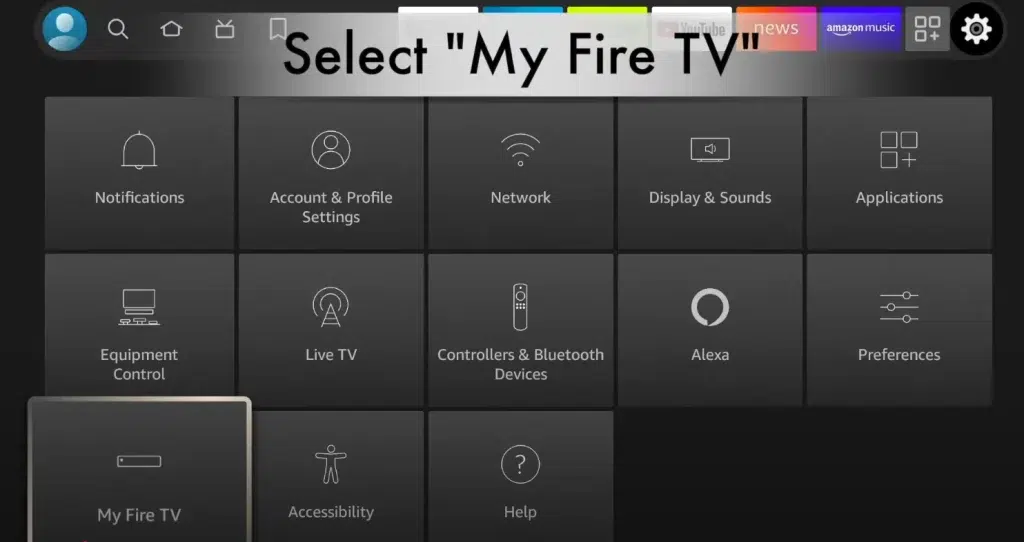
Navigate to your Fire TV Settings menu and select My Fire TV.
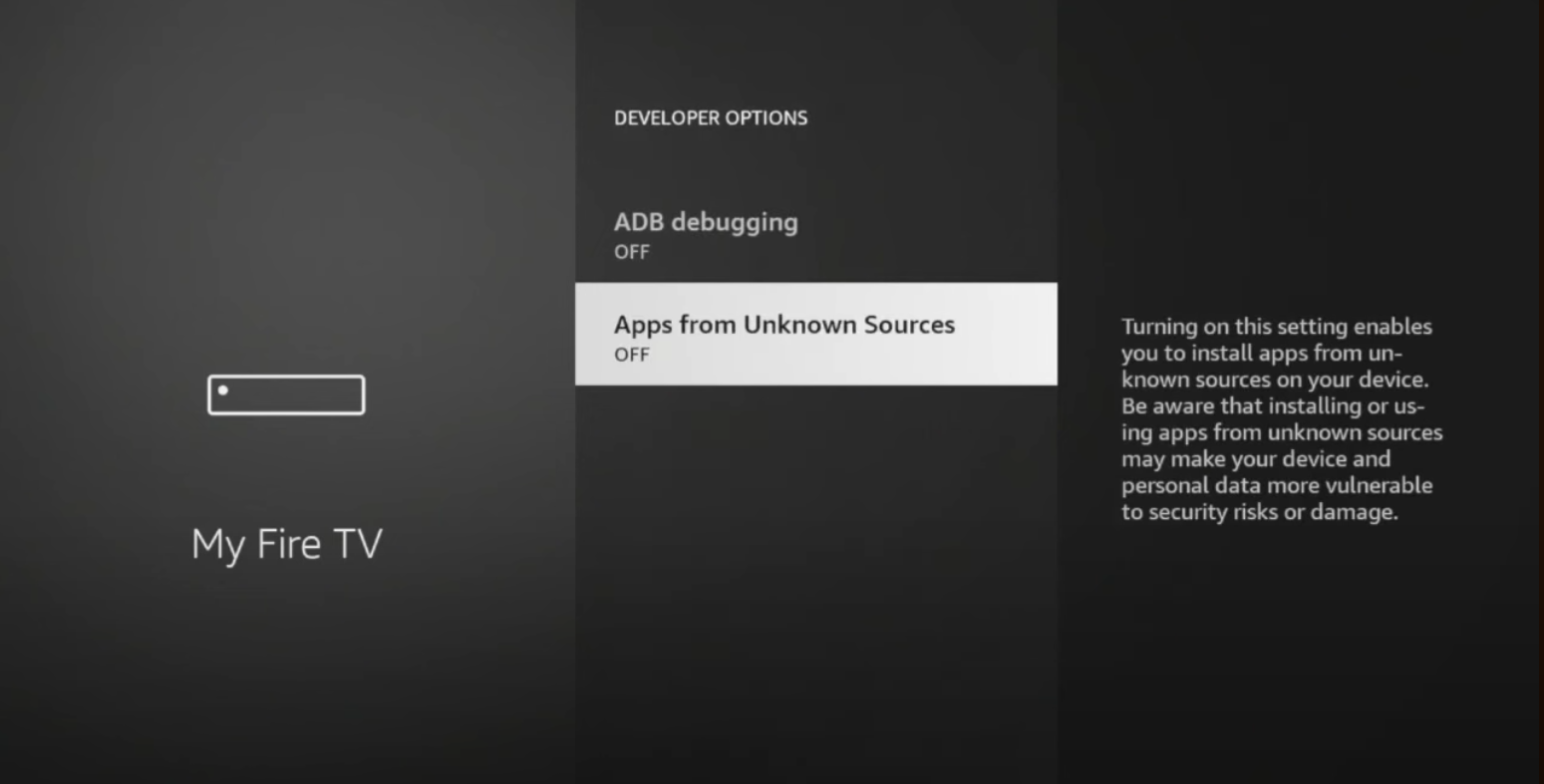
Open Developer Options and toggle on permissions for unknown applications.
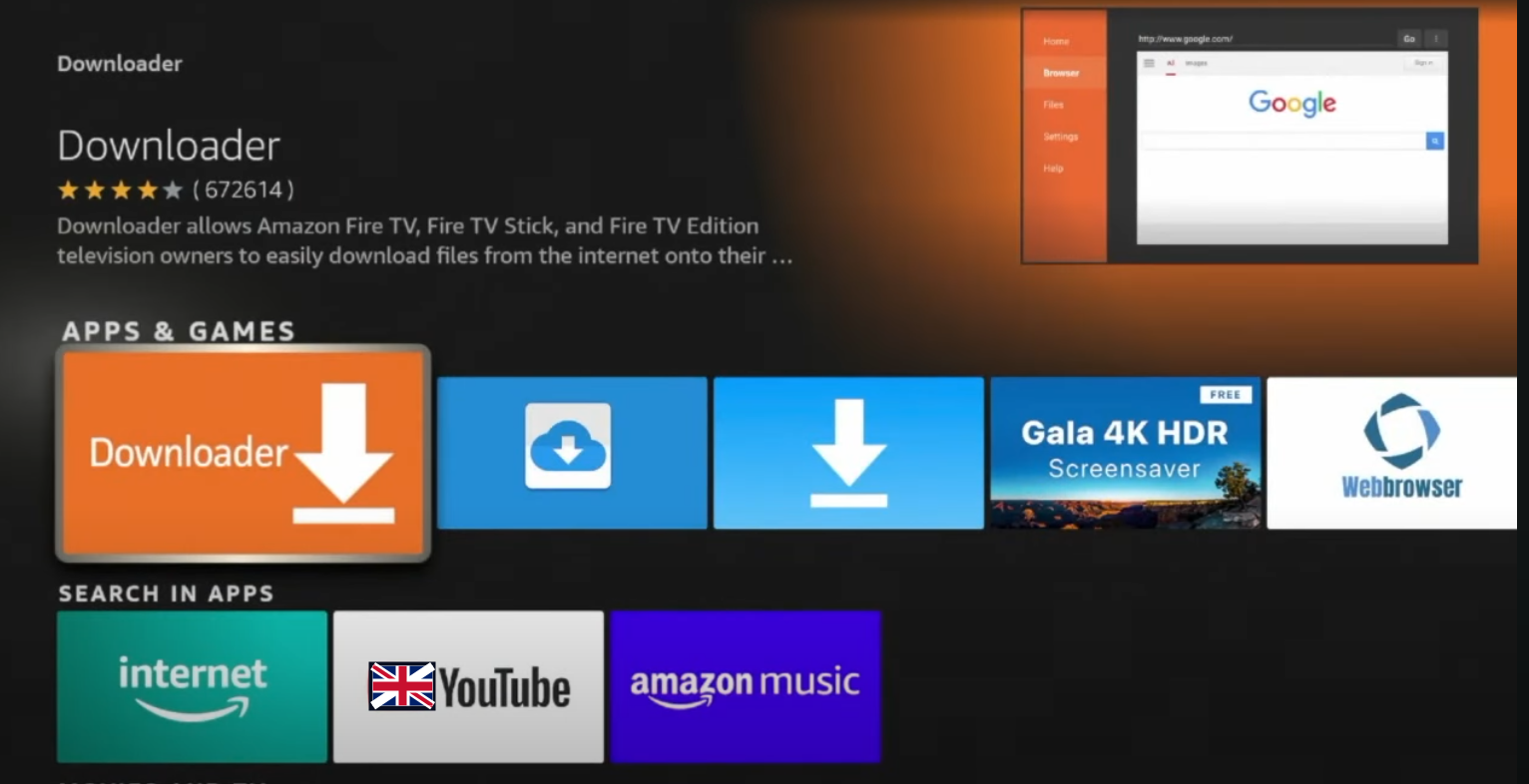
Download the Downloader app directly from the official Amazon Appstore.
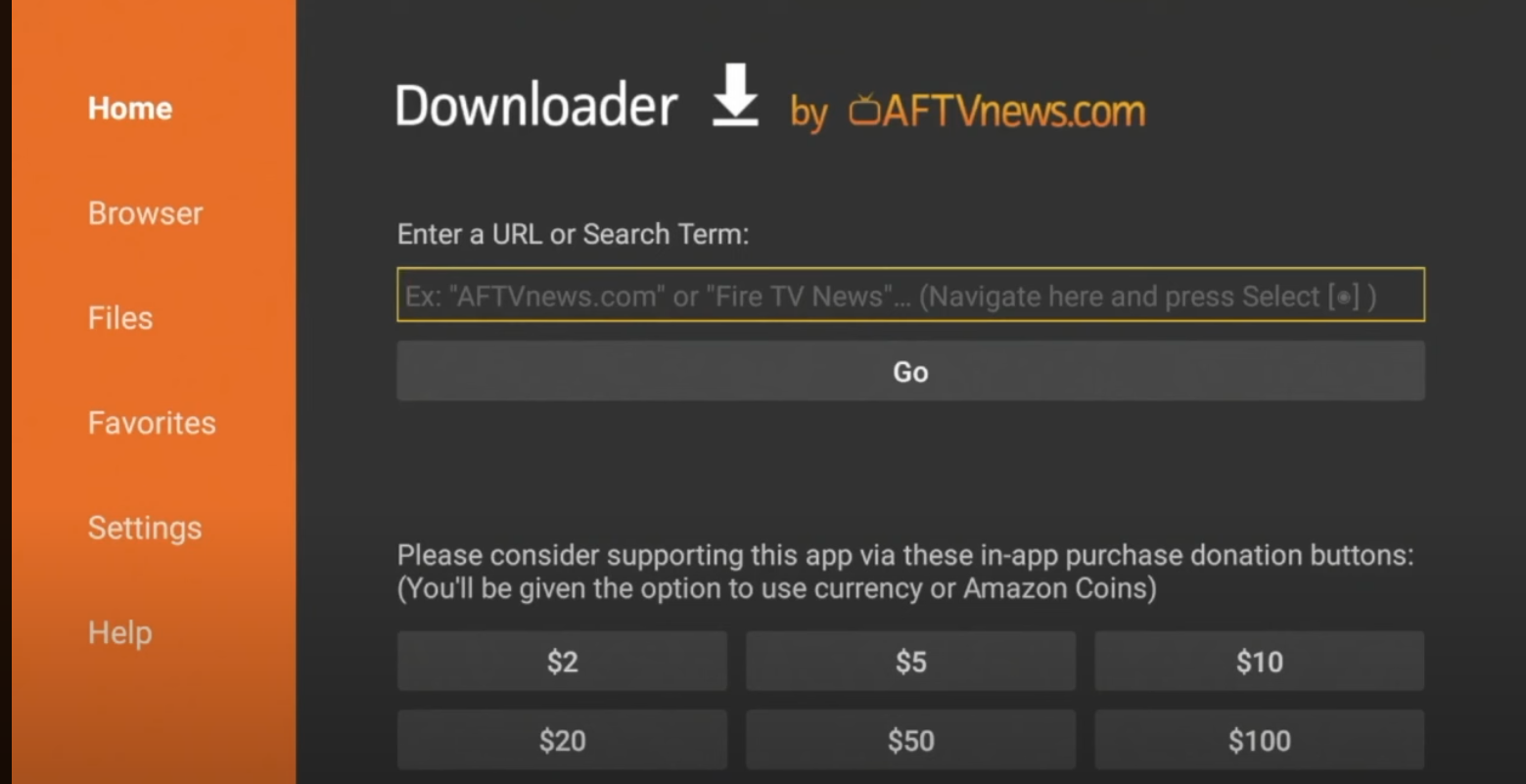
Launch Downloader and enter the authentic APK URL to retrieve the installer.
Select Install when prompted by the system dialog.
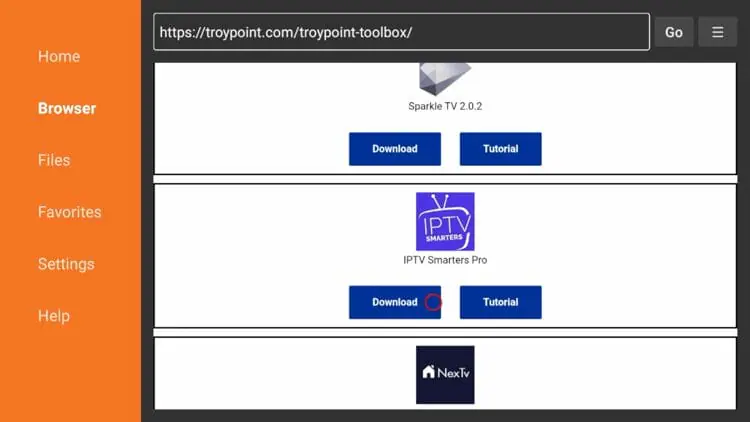
Launch IPTV Smarters Pro once installation completes successfully.
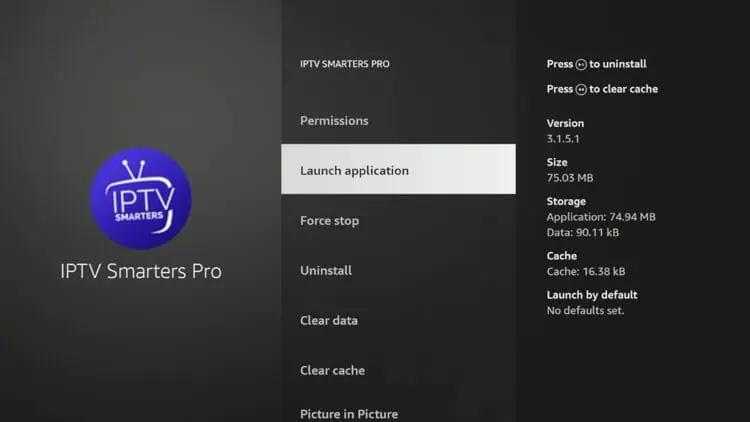
Pick your device layout preference (TV or Mobile).
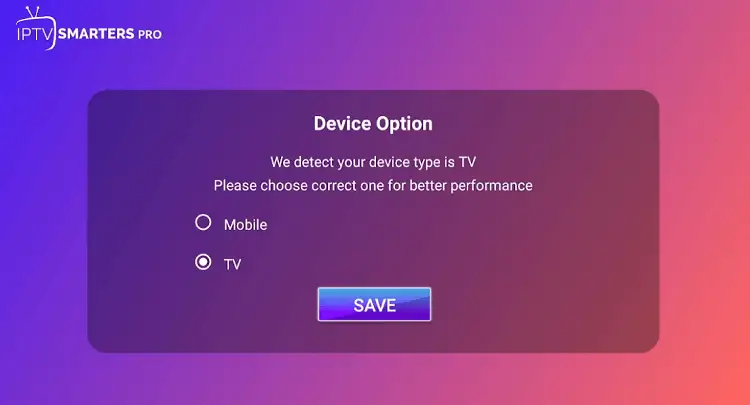
Agree to the end-user licence terms.
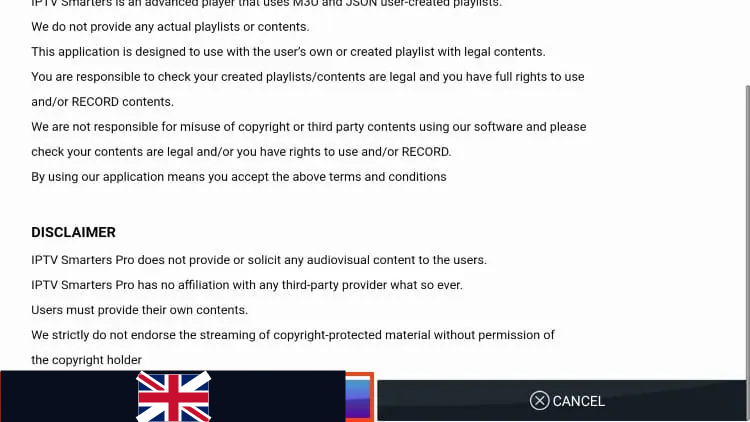
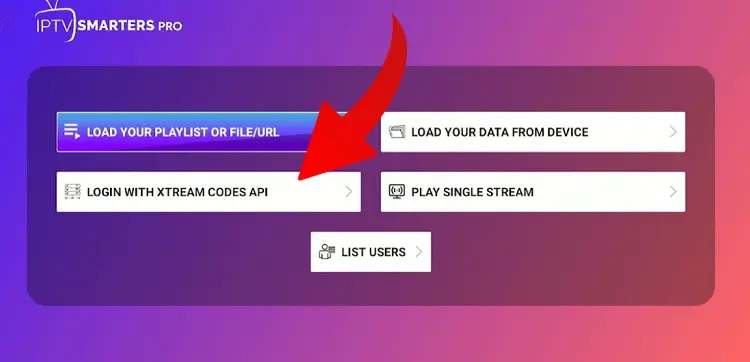
Choose the Login with Xtream Codes API option.
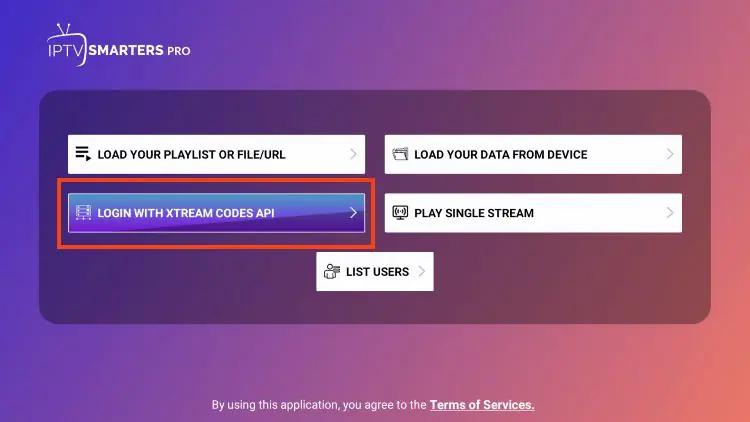
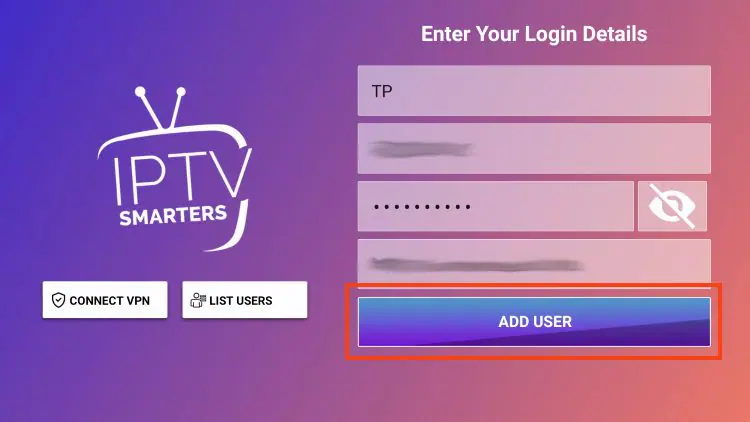
Input your account credentials and press Add User.
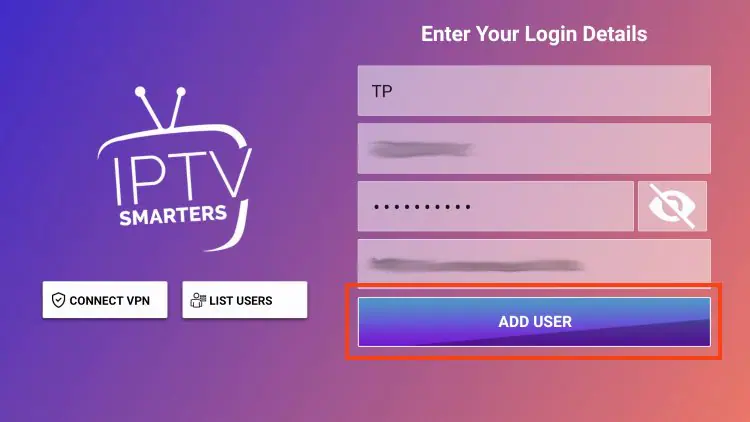
Check our detailed Firestick IPTV Smarters setup guide for expanded Fire TV instructions.
How Do You Install IPTV Smarters Pro on Android TV and Android Boxes?
Setting up IPTV Smarters Pro on Android TV boxes, Google TV dongles, or Android smart TVs is straightforward via the built-in Google Play Store.
Open Settings on your Android device and head to Device Preferences.
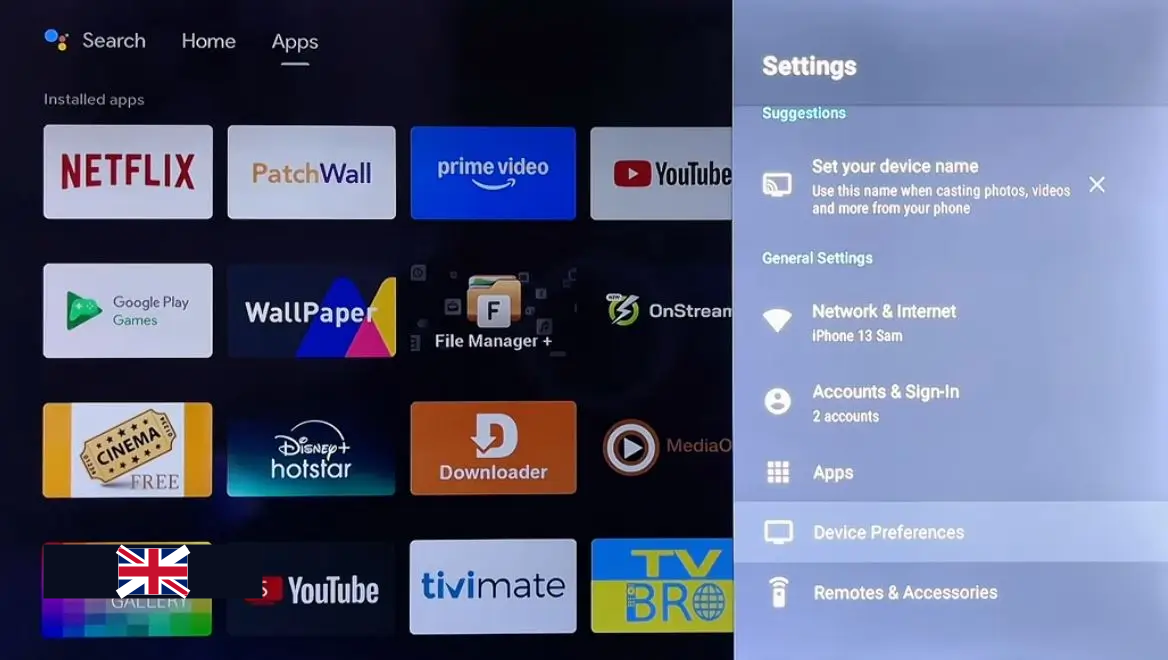
Access Security & Restrictions settings.
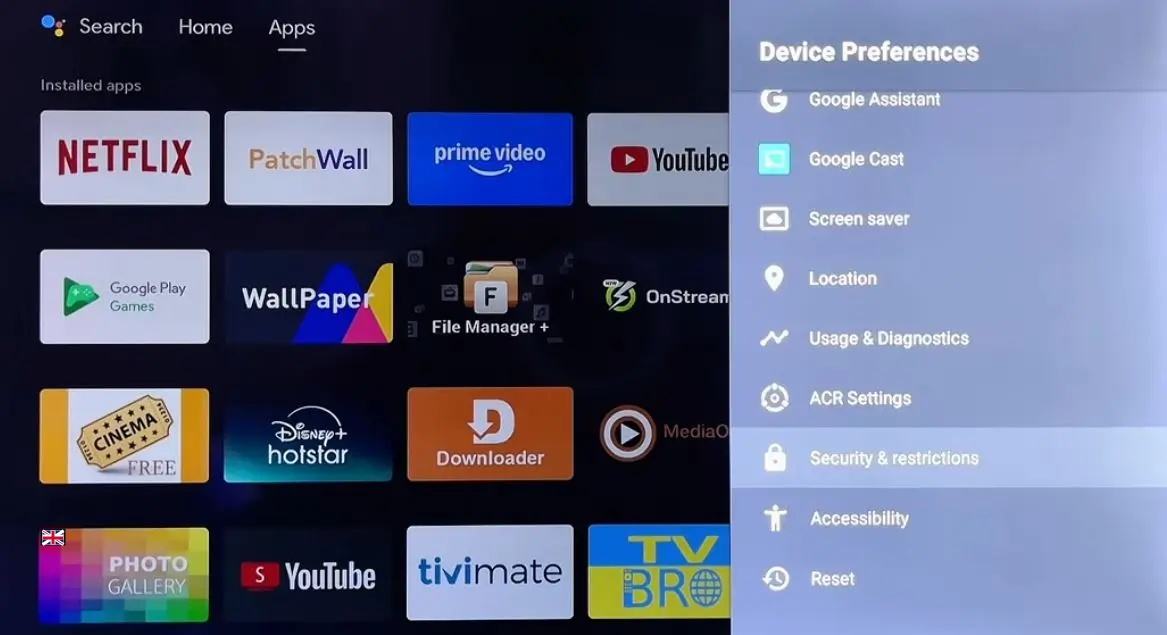
Toggle permissions for Unknown Sources if manual installation is required.
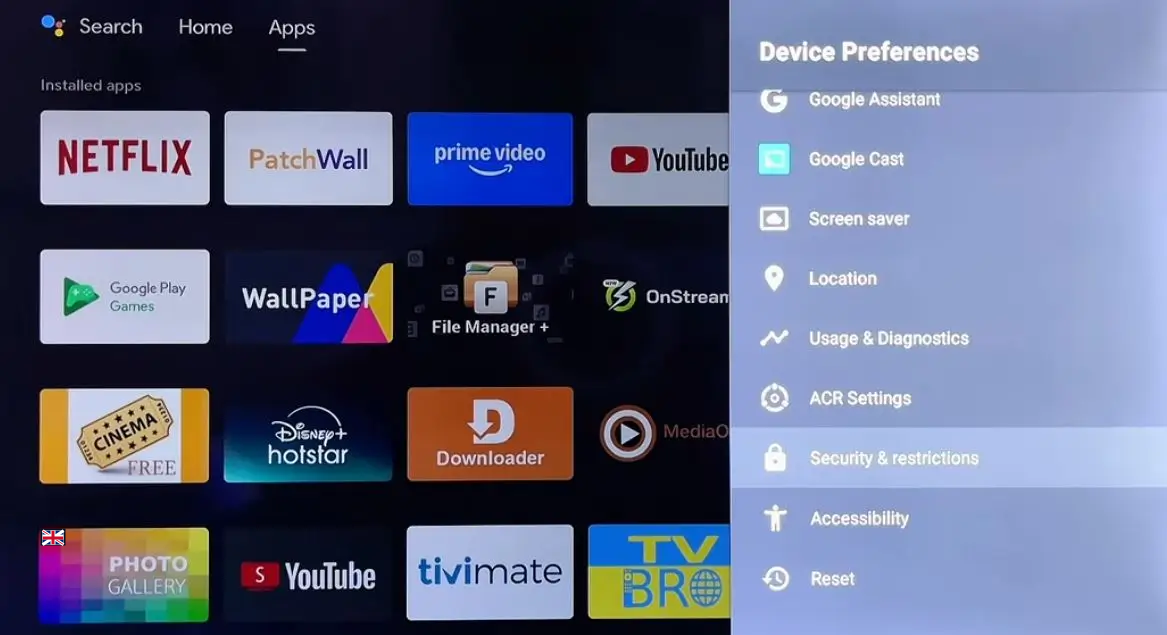
Open the Google Play Store application from your app drawer.
Tap the search icon and query IPTV Smarters Pro.
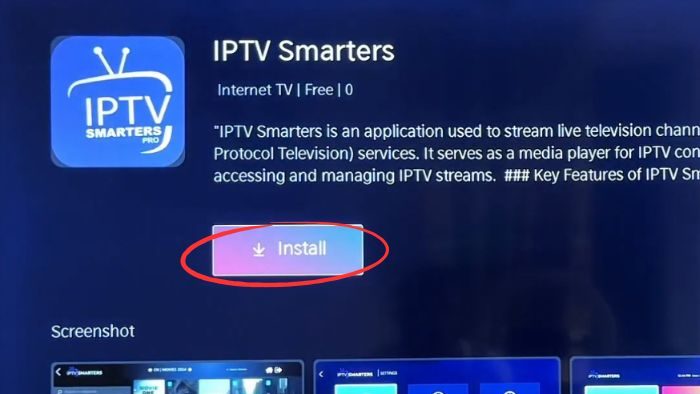
Select the app card, click Install, and allow the download to complete.
Select the primary TV user interface layout.
Click Login with Xtream Codes API.
Enter your subscription parameters to populate your media library.
If your Android box lacks Play Store access, use a sideloading utility to retrieve the official APK file directly.
Explore our comprehensive guide on setting up IPTV on an Android TV box for deeper technical advice.
How Do You Install IPTV Smarters Pro on iOS, iPadOS, and Apple TV?
Installing the software on Apple platforms like iPhones, iPads, and Apple TV HD/4K takes only a few taps via the official App Store.
Apple hardware runs official store variants seamlessly without needing complex developer configurations or sideloading tools.
On iOS devices, open the App Store and search for IPTV Smarters Lite.
On Apple TV, access the native tvOS App Store.
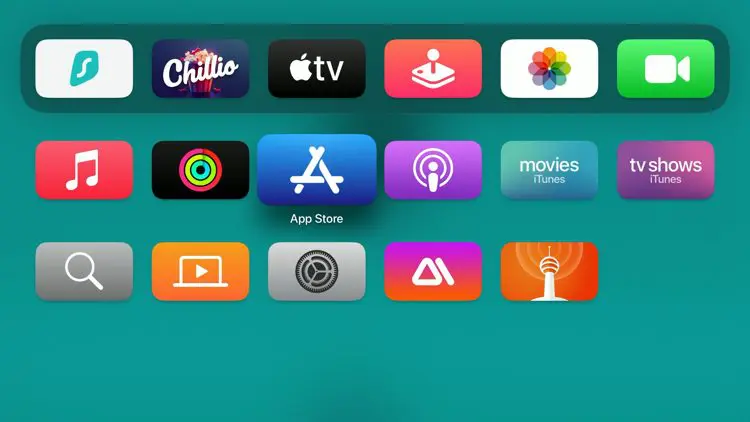
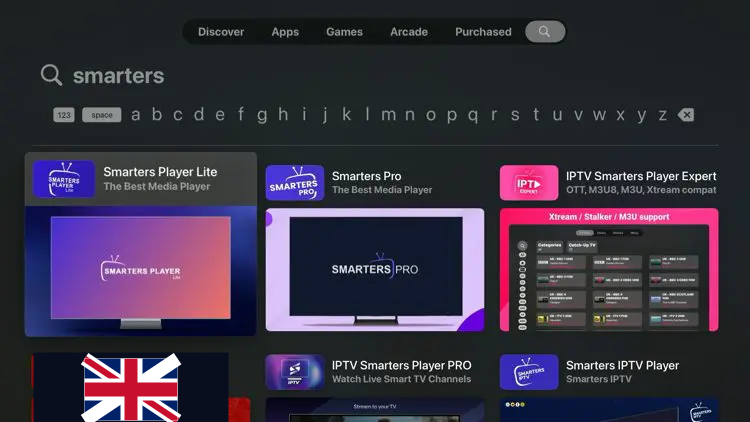
Search for Smarters Player Lite to locate the verified release.
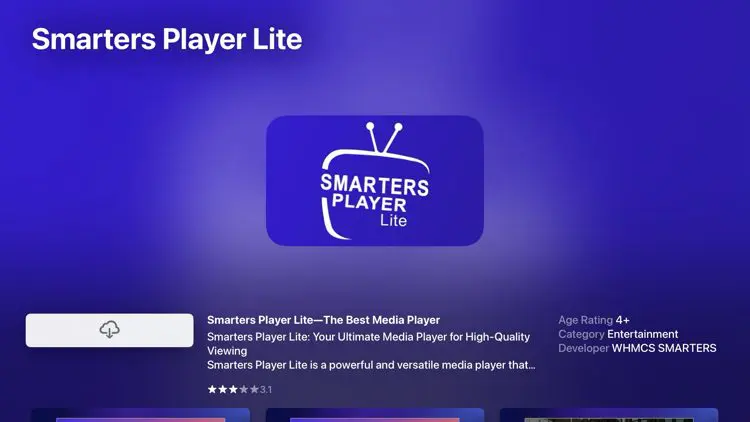
Press Get to begin downloading the application.
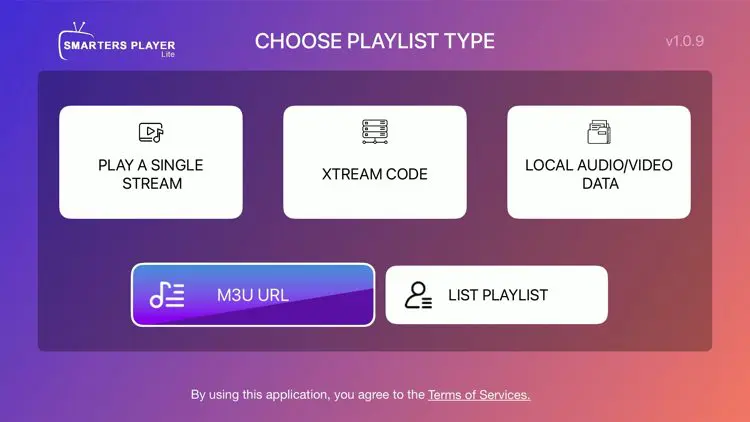
Launch the player and choose your preferred login format (M3U or Xtream Codes).
Type in your assigned IPTV account details.
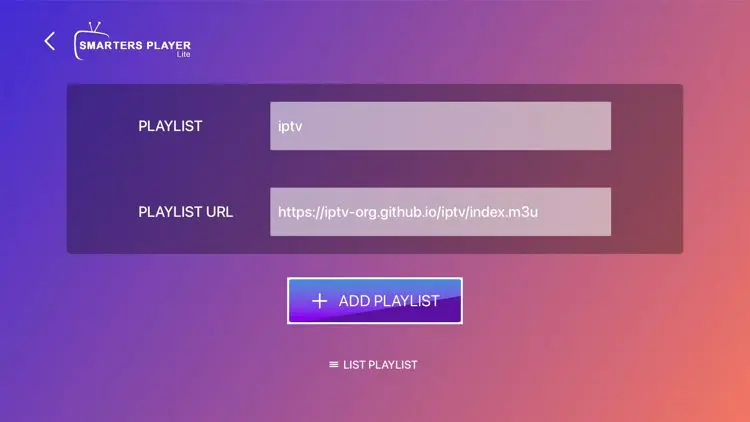
Pick your desired broadcast category from the loaded playlist.
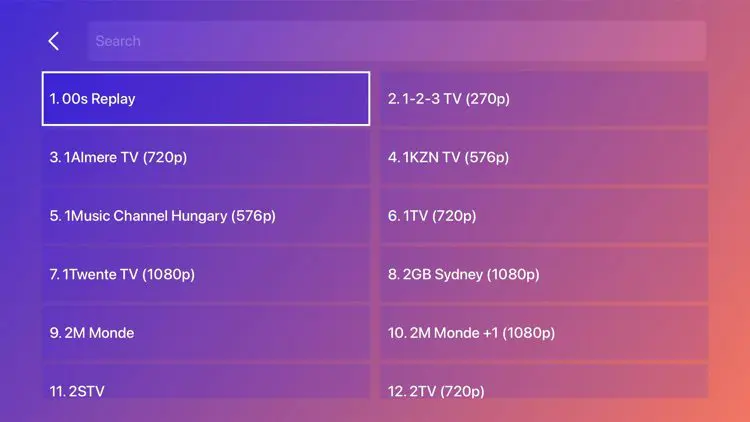
Read our step-by-step guide on how to watch IPTV on iPhone for specialized Apple tips.
How Do You Install IPTV Smarters Pro on Windows PC and macOS?
Windows and Mac users can run IPTV Smarters Pro natively by retrieving the desktop executable directly from the software developer's portal.
Computer monitors provide superb clarity for watching broadcasts, operating identical account setup mechanics found on mobile versions. Always verify file signatures.
Visit the official IPTV Smarters web portal and select the Downloads tab.
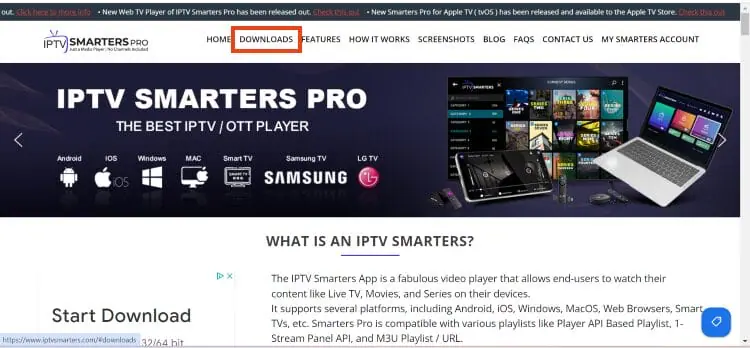
Choose the Download for Windows button.
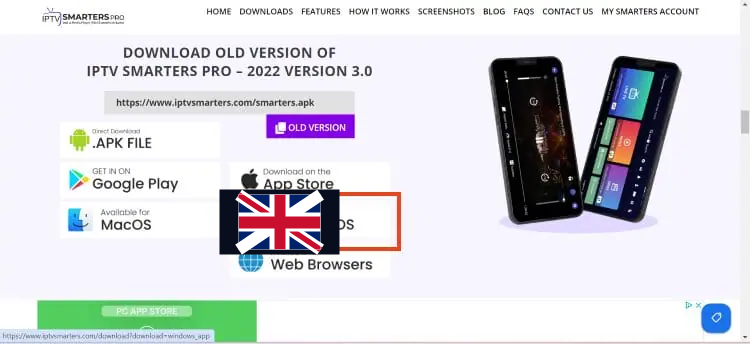
Allow the installation package to complete downloading.
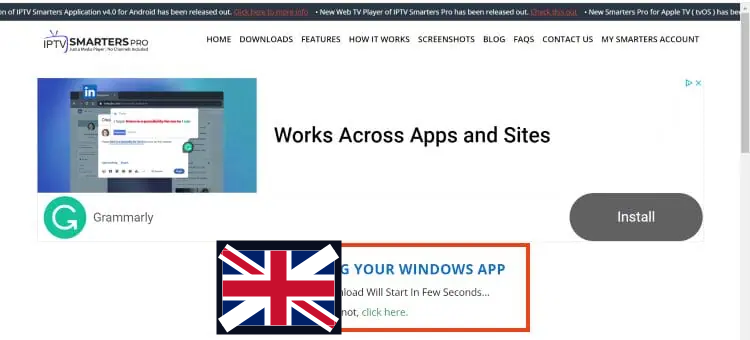
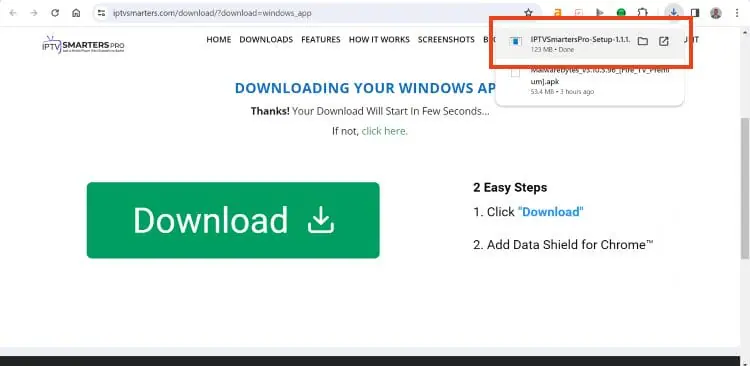
Click the security notification if your browser flags the setup file.
Select the option to retain and save the installer file.
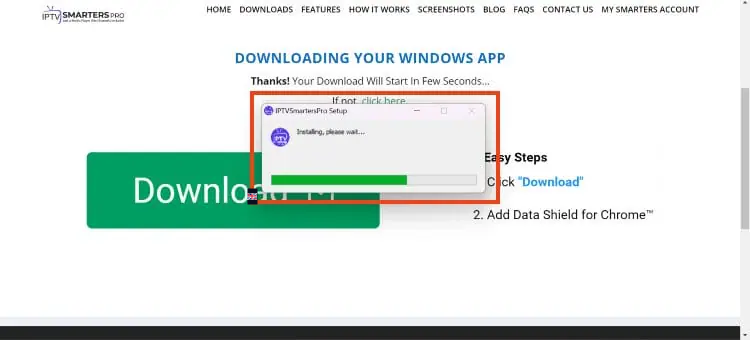
Double-click the downloaded setup file to launch the wizard.
Complete the standard installation steps.
Launch the program and sign in using your server URL, username, and password.
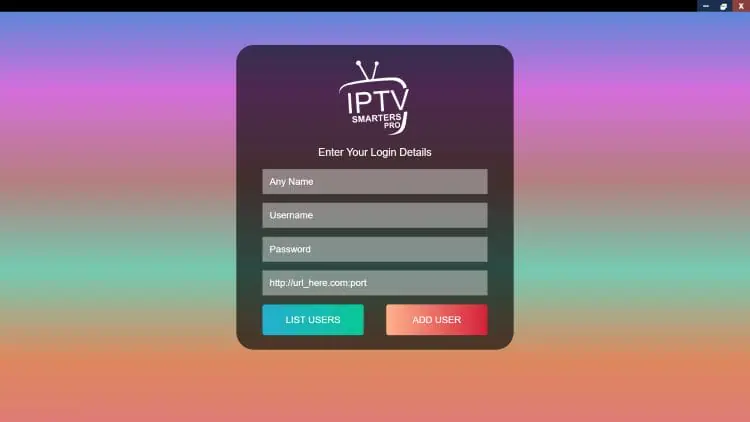
Desktop configuration is now complete and ready for streaming.
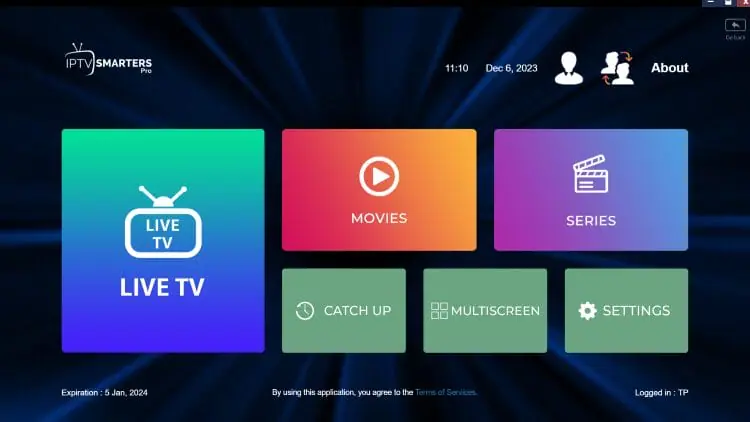
On Mac, download the macOS .dmg file, drag the app into your Applications folder, and approve permissions in System Settings > Privacy & Security in 2026 if prompted.
How Do You Install IPTV Smarters Pro on Smart TVs?
Getting IPTV Smarters Pro onto smart TVs depends on whether your set uses Android software or a proprietary operating system.
Android-powered models from Sony, TCL, and Philips host the app natively, whereas Samsung Tizen and LG webOS platforms usually require external media devices.
Access your television's main application library from the home dashboard.
Input IPTV Smarters Pro inside the store search field.
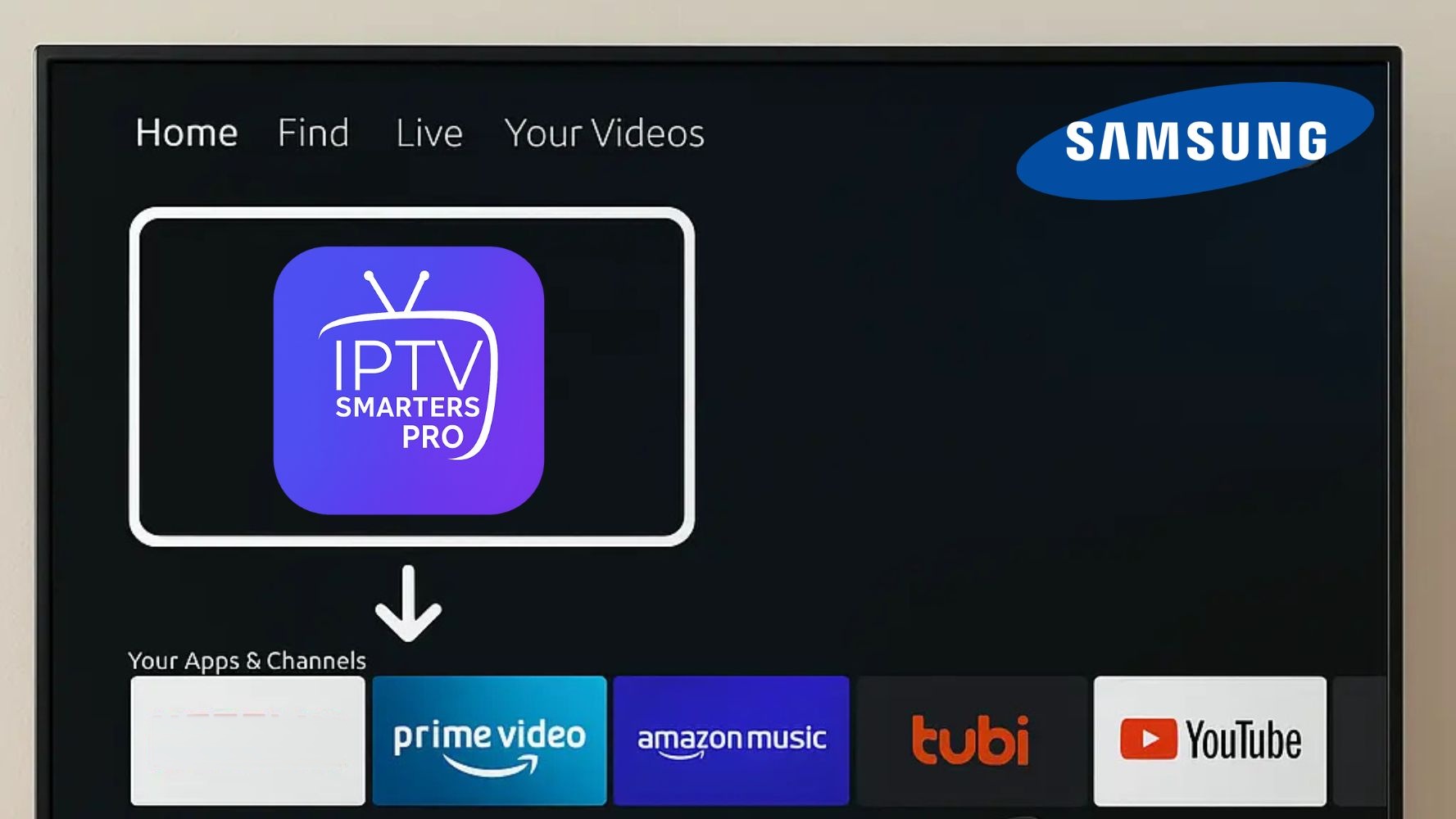
If available on your OS, click Install and open the application upon completion.
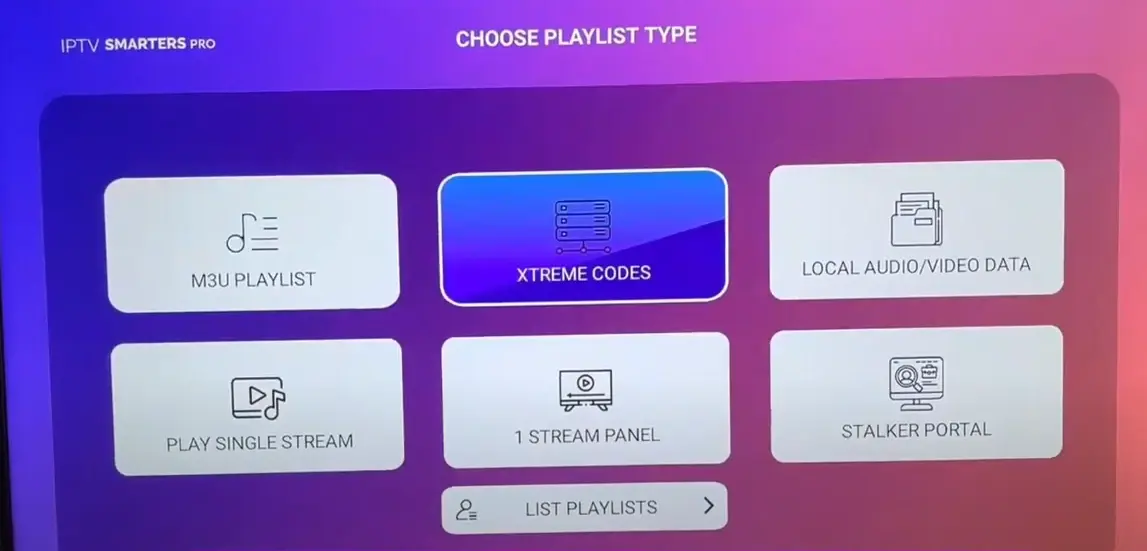
Configure the app by choosing your login method and submitting server details.
Authenticate using your Xtream Codes or M3U playlist credentials.
This grants full access to live television and VOD catalogues directly on your television display.
If your TV app store lacks the player, connect an external Firestick or Android box to an open HDMI port.
Review our dedicated Samsung TV IPTV Smarters installation guide for platform-specific workarounds.
How Do You Log In and Configure Your IPTV Subscription?
Activate your service by clicking Add New User and selecting your provider's preferred authentication mechanism.
Xtream Codes API is highly recommended because it automatically fetches live channels, VOD libraries, and electronic programme guide data simultaneously.
If video streams experience delays, read our IPTV Smarters buffer-settings guide to refine playback performance.
| Login method | What you enter | Loads the EPG? | Best for |
| Xtream Codes API | Server URL, username, password | Yes, automatically | Most users (recommended) |
| M3U URL | A single playlist link | Often needs an EPG URL added | Providers that supply a link |
| Playlist file | A downloaded playlist file | Often needs an EPG URL added | Offline or manual setups |
Carefully enter your server URL, username, and password, then press Add User to import your channel lists.
How Do You Set Up the EPG (TV Guide) in IPTV Smarters Pro?
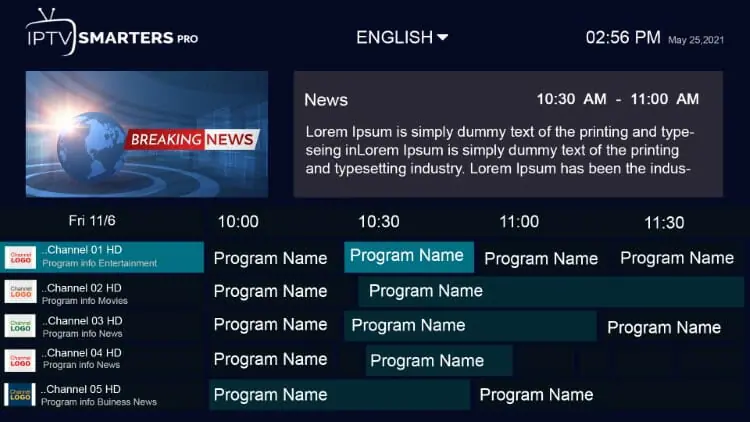
Populate your electronic programme guide automatically via Xtream API credentials or manually by adding an XMLTV link.
With M3U connections, navigate to application settings, select the TV guide section, and paste your provider's EPG source link.
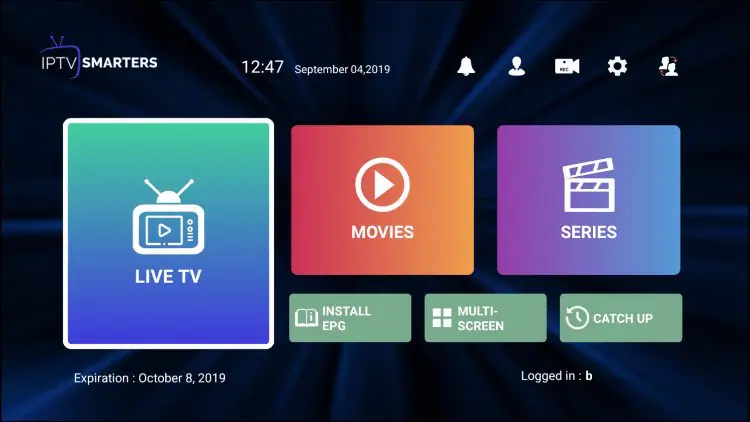
For Xtream Codes setups, allow a few moments for program schedules to populate automatically.
For M3U setups, insert your XMLTV URL into the TV Guide sources menu.
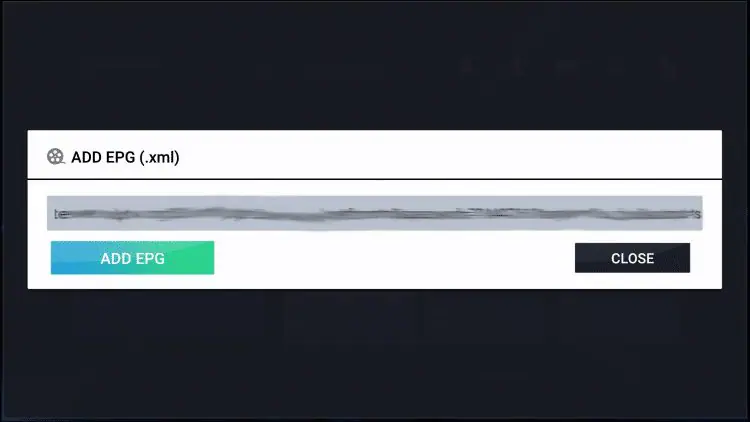
Adjust the EPG Time Shift setting in General Settings if broadcast schedules display incorrect hourly offsets.
Refresh your playlist from the settings menu if guide details fail to update.
How Do You Change Subtitles and Audio Tracks in IPTV Smarters Pro?
Adjust subtitle languages and audio streams dynamically while playing content by bringing up on-screen video controls.
Note that available language choices rely entirely on audio and caption streams provided within your source stream.
Tap your screen or press the select button during video playback to reveal controls.
Select the subtitle icon (marked as CC or a dialogue bubble) to choose caption tracks.
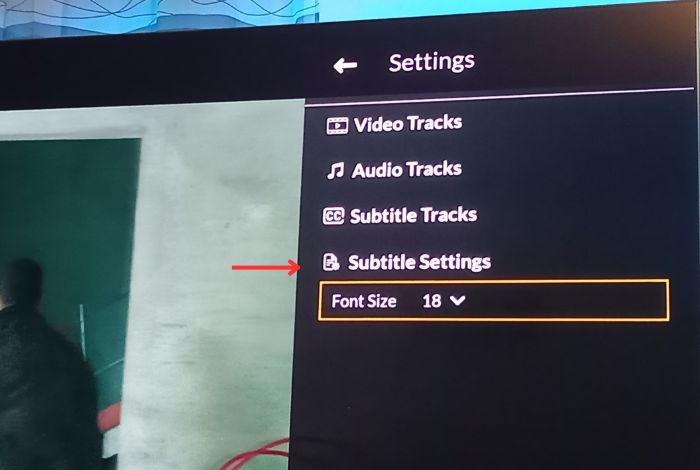
Press the audio icon to switch between alternate audio tracks or commentary channels.
If buttons remain unresponsive, the selected channel does not broadcast extra audio or subtitle tracks.
How Do You Manage Favorites, Parental Controls, Recording, and Multi-Screen?
IPTV Smarters Pro offers advanced customization features including customized channel bookmarking, parental locking, live recording, and multi-view streaming.
Utilizing these parameters elevates user convenience while restricting sensitive content across shared household devices.
Custom Favorites:
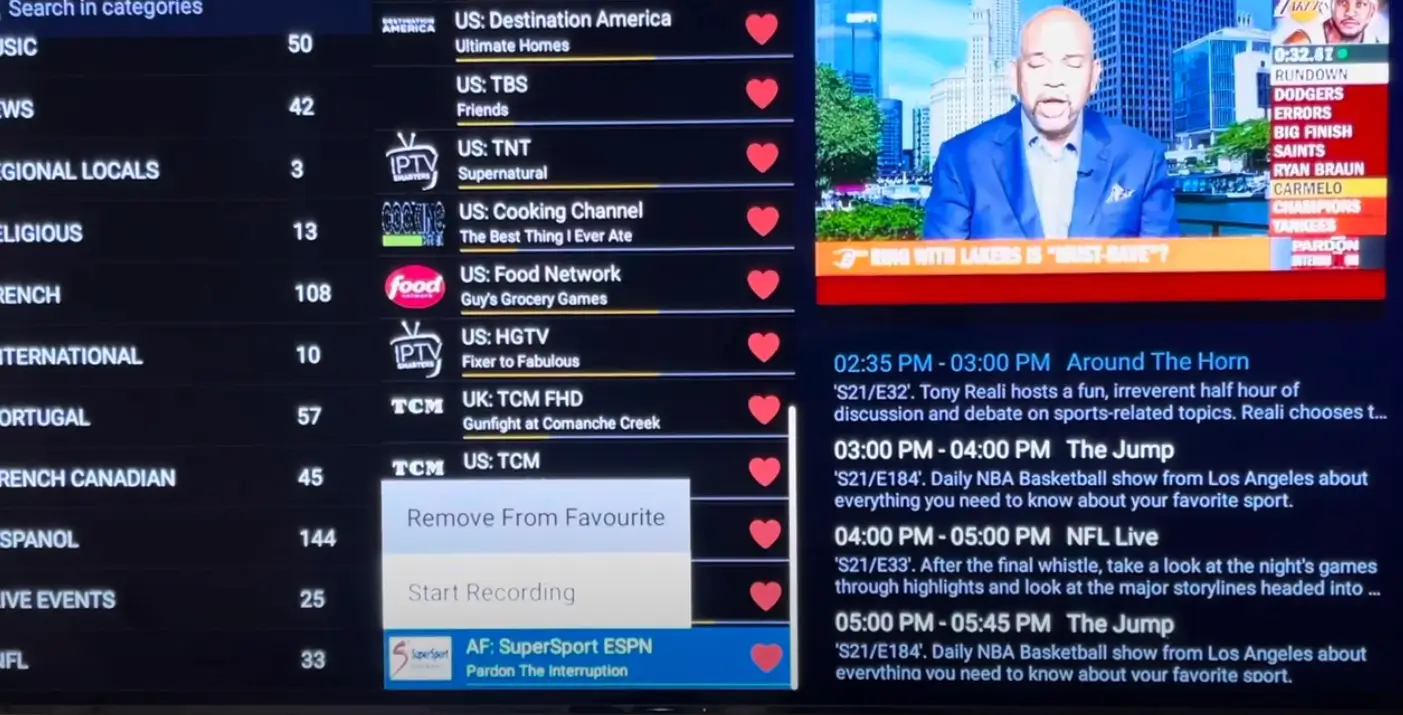
Click the heart icon on any channel listing to build a personal quick-access menu.
Parental Control System:
Establish a security PIN to restrict access to adult channels or specific content categories.
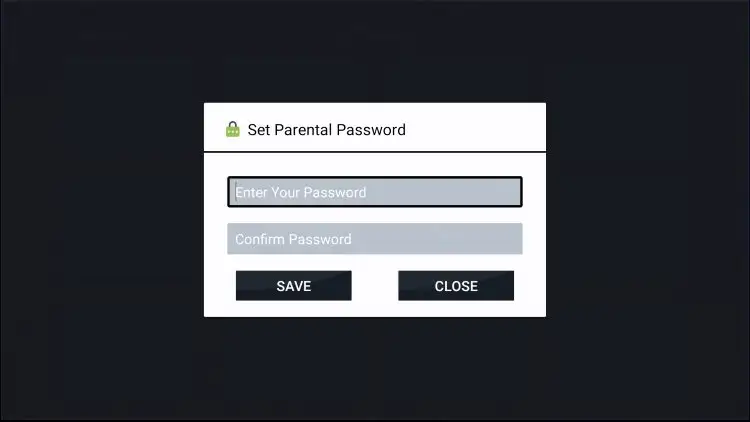
How to Record Live Content in IPTV Smarters Pro:
Review completed video recordings anytime by navigating to the Recordings tab on your main dashboard.
Launch IPTV Smarters Pro and select Recordings from the main home screen.
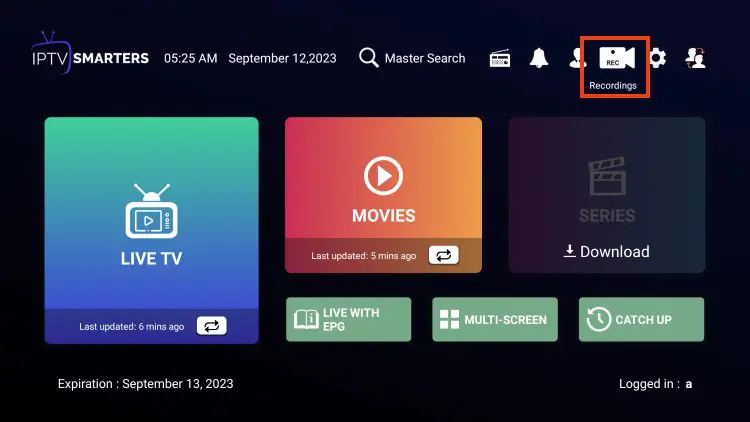
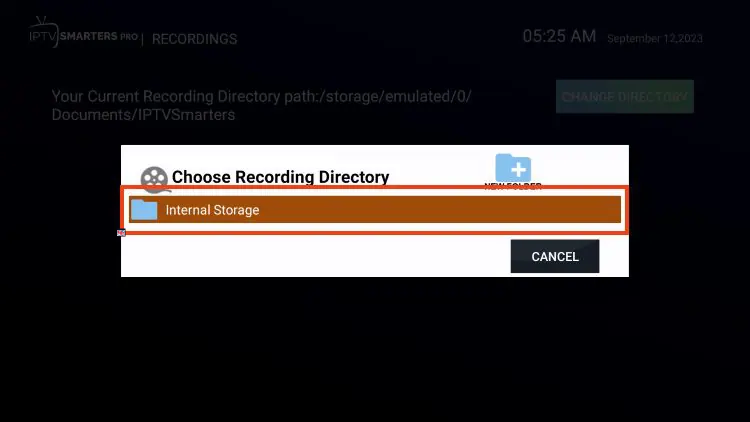
Select Change Directory, pick Internal Storage, create a new folder named Recordings, and save your selection.
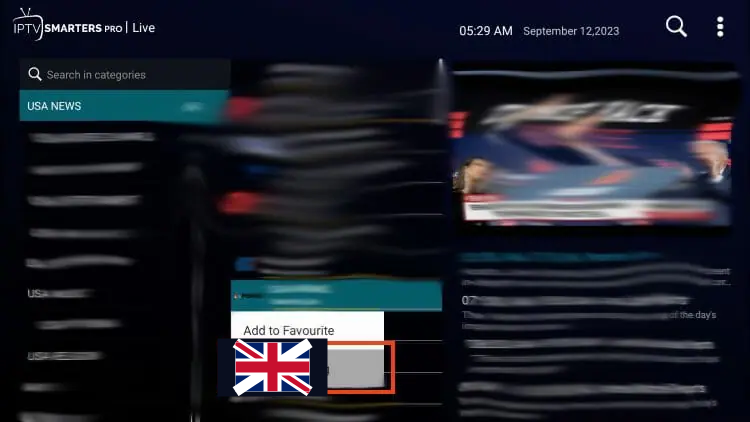
Highlight your desired channel, hold the select button, and choose Start Recording.
Set your target duration in minutes and confirm the recording prompt.
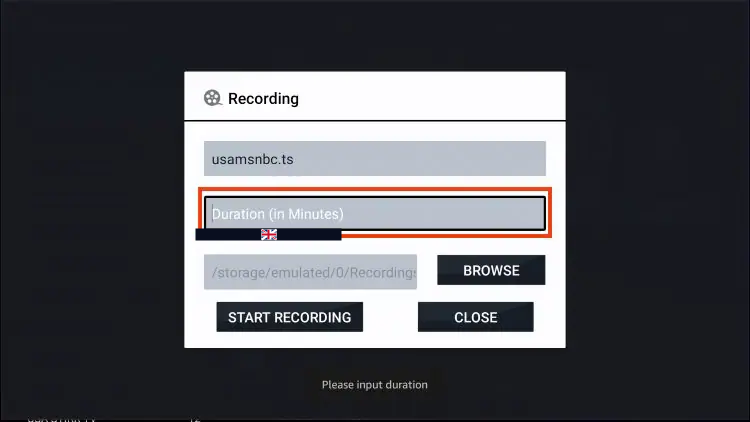
A Recording started notification will confirm your capture has begun.
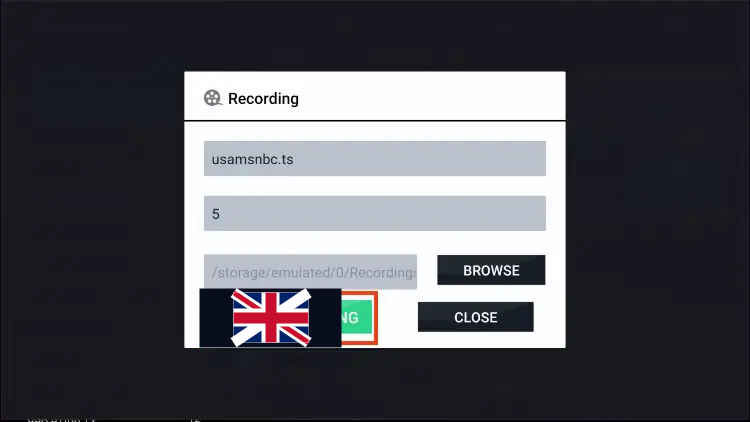
Save live broadcasts directly to local storage on compatible Android TV and Firestick devices.
Multi-Screen & Multi-Playlist Features:
Stream up to four channels simultaneously or toggle between multiple active provider accounts smoothly.
How Do You Fix Buffering, Black Screens, and Common IPTV Issues?
Resolve common playback errors by auditing network speeds, checking login accuracy, and modifying internal player engines.
Following systematic troubleshooting fixes playback issues quickly without requiring app reinstalls.
Login failed errors: Double-check server URLs and account credentials for hidden spaces or typos.
Persistent buffering: Connect an Ethernet cable or switch to a high-speed 5 GHz Wi-Fi band.
Black screen with audio: Change hardware decoding settings from Native to Software player engines.
Incorrect TV guide times: Modify the EPG offset within General Settings to match UK local time in 2026.
Missing channel categories: Force a playlist refresh from app settings and restart the application.
Frequently Asked Questions (FAQ)
Is IPTV Smarters Pro Free to Use?
Yes, IPTV Smarters Pro is completely free to download across Android, iOS, Windows, Mac, and Fire TV platforms.
Users must acquire an independent streaming subscription, as the app serves strictly as a media management client.
While the software costs nothing, receiving smooth streams relies entirely on securing high-quality provider credentials.
Why Is IPTV Smarters Pro Missing From My Device App Store?
Certain app stores restrict IPTV media players due to strict platform policies, necessitating manual sideloading via Downloader on Firesticks.
Connect an external Android streaming device or Amazon Firestick if your smart TV OS lacks native player support.
Does IPTV Smarters Pro Include Channels or Content?
No, IPTV Smarters Pro contains no pre-loaded channels, playlists, or video-on-demand media files.
Streams populate only after entering authentic M3U playlist URLs or Xtream Codes credentials from your subscription provider.
How Do I Switch Subtitles or Audio Languages?
Bring up the player interface while watching content and tap the CC or speech bubble icon to alter track options.
Selectable audio and caption options appear only when included by the broadcaster within the original video feed.
What Causes EPG Guides to Be Missing or Show Incorrect Times?
Missing guide data usually stems from unlinked XMLTV URLs or slow EPG background syncing on initial login.
Adjust the time offset options inside settings if programme schedules show accurate shows at wrong hours.
What Internet Connection Speed Is Required for IPTV Smarters Pro?
A minimum download speed of 25 Mbps is recommended for HD streaming, while 4K UHD channels require 50 Mbps or higher.
Using wired Ethernet connections minimizes latency and prevents buffering during peak traffic hours.
Is IPTV Smarters Pro Legal and Safe in the UK?
Using IPTV Smarters Pro is entirely legal in the UK because media player applications contain no copyrighted streams. However, when choosing a provider for your british iptv setup, ensure they hold appropriate licensing.
Under British copyright law, accessing illegal distribution streams violates intellectual property regulations.
Download application packages exclusively through verified portals to avoid potential malware threats.
Conclusion
Configuring IPTV Smarters Pro across modern streaming hardware involves simple steps: install the software, enter your provider credentials, and load your subscription playlists.
Fine-tuning settings allows you to enjoy TV guides, custom multi-screen layouts, parental locking, and local program recording.
Achieving optimal performance depends on coupling the app with high-speed internet and reliable subscription servers.
Pair IPTV Smarters Pro with a dependable service to unlock premium live television across all your home devices in 2026.
Your free trial login works in every app in this article. Twelve hours of the full service, no card, then choose a plan or stop.
- No credit card
- Login by email in minutes
- Setup guides for every device
